

The Shopify App Store lists thousands of apps promising to grow your store, and sorting through them all is its own full-time job. Rather than another generic “best apps” roundup, this list sticks to 15 apps that are genuinely widely used, consistently well-reviewed, and each solve a specific, real problem — not a padded list of apps nobody actually installs.
These aren’t ranked in strict order of importance, since the right app for your store depends entirely on which specific problem is actually costing you sales right now — a store with strong traffic but weak trust signals needs a reviews app before it needs another marketing tool, while a store with good conversion but high support ticket volume needs a helpdesk before it needs another upsell app. Instead, they’re grouped by category, so you can jump to the section that matches your actual current bottleneck rather than reading through fifteen unrelated pitches.
Each entry links directly to its real Shopify App Store listing, shows that app’s actual icon pulled from its own listing page, and includes enough pricing and feature detail to tell whether it’s worth a closer look — not just a name and a one-line pitch. Pricing on these apps changes often enough that a number quoted in an article six months old is frequently already out of date, so treat every figure below as a starting point to verify on the app’s own page, not a locked-in quote.
One more thing worth saying upfront: popularity isn’t the same as fit. Every app on this list has a large install base and strong reviews, but a large install base just means it works well for a lot of different stores — not that it’s automatically right for yours. Read each entry with your own store’s actual situation in mind, not just the review count.
Email & SMS Marketing

Email and SMS remain the highest-return marketing channel for most Shopify stores, largely because you already own the relationship — no algorithm or ad platform sits between you and a customer who’s already given you their contact details. The two apps below cover very different points on the price and complexity spectrum.
Klaviyo: Email Marketing & SMS

The most widely adopted email and SMS platform in the Shopify ecosystem, with deep native data sync so your segments and flows reflect real purchase behavior rather than generic list-building. Klaviyo pulls order history, browsing behavior, and product-level data directly from Shopify, which means a flow like “customers who viewed this product twice but didn’t buy” or “customers who bought this specific item 60 days ago” is something you can actually build without custom development. It’s genuinely strong for abandoned cart recovery, welcome flows, post-purchase sequences, and win-back campaigns for lapsed customers.
Pricing is free to start and scales by the number of contacts in your account, which means the cost grows as your list grows — worth planning for if you’re already sitting on a large existing list, since the free tier is generous for a new store but won’t stay free for long once you’re actively growing. SMS availability leans toward US, UK, Canada, and Australia specifically, so international-heavy stores should confirm SMS coverage for their actual customer base before counting on it. The tradeoff for the depth Klaviyo offers is a genuine learning curve — it’s not the simplest tool to pick up on day one, which is part of why the next entry exists as a lighter alternative.
Privy ‑ Email, SMS & Pop Ups

A simpler, more budget-friendly entry point for list growth — popups, exit-intent offers, and basic email/SMS automation in one dashboard. Privy’s core strength is the capture side: a drag-and-drop popup and form builder with targeting rules (exit intent, time-on-page, scroll depth) that’s genuinely easy to set up without a learning curve, paired with lighter-weight email and SMS sending once you’ve captured the contact.
The free plan covers up to 100 email contacts, which is enough to fully test the platform before committing to anything paid. Paid tiers scale from there by contact count, with a separate traffic-based pricing option for stores that want unlimited contacts without a strict cap. It’s a common starting point for stores not yet ready for Klaviyo’s depth or price, and a reasonable permanent home for stores whose marketing needs stay genuinely simple rather than growing into complex multi-step automation.
Reviews & Social Proof
Judge.me Product Reviews

The most commonly recommended free option for collecting and displaying reviews — unlimited reviews and review requests on the free plan, which is a genuinely rare combination in this category, since most competitors cap review volume or request volume on their free tier. Judge.me supports photo and video reviews, Google Rich Snippet integration so your star ratings can appear directly in search results, and import tools for migrating from other review platforms if you’re switching.
The paid “Awesome” plan adds additional customization and integration options for a modest monthly cost, but the free tier alone is functional enough that many stores never need to upgrade. Judge.me integrates with over 130 other platforms, including most of the apps elsewhere on this list, which matters if you’re planning to layer several of these tools together rather than run them in isolation.
Loox ‑ Product Reviews App

Built specifically around visual reviews — photo and video testimonials displayed in polished, brand-matched widgets, rather than the text-first approach most review apps default to. If your product category benefits particularly strongly from seeing it in use (apparel, beauty, home goods, anything where “what does it actually look like” matters more than a star rating alone), Loox’s visual-first design is a meaningfully different value proposition than a text-review app.
Pricing starts from roughly $12.99/month for a plan covering 100 monthly review request emails without video support, moving up to a tier in the high $30s per month once video reviews and full integrations are included. That’s a real cost difference from Judge.me’s free tier, so the honest comparison is: pay for Loox specifically if visual social proof is a meaningfully bigger lever for your specific product than it would be for an average store, not by default.
Page Builders
PageFly ✦ AI Page Builder

The most widely used dedicated Shopify page builder, offering a genuinely usable free tier and a large template library (over 300 templates) for building landing pages, custom product pages, and full-page layouts beyond what a theme’s native sections provide. PageFly has also added AI-assisted page and section generation, which speeds up the initial build considerably if you’re starting from a blank page rather than a template.
The free plan covers one published page or section slot, which is enough to test the builder and launch a single custom page, but most stores building out a real landing page strategy will move to a paid tier starting around $18/month for three published slots and up from there. A common use case: a store’s default theme handles the homepage and product pages fine, but a specific campaign landing page, a detailed FAQ page, or a highly customized “about us” page benefits from the additional layout flexibility PageFly provides that a theme’s built-in editor doesn’t.
Loyalty & Referrals
 Shopify loyalty and customer support apps category
Acquiring a new customer through paid ads has gotten steadily more expensive across most categories, which is exactly why loyalty and referral tools have become a bigger priority for stores that already have a base of repeat or word-of-mouth-driven customers to work with.
Smile: Loyalty Program Rewards

Points, VIP tiers, and referral rewards, integrated with most major review and email platforms including several others on this list — Smile connects directly with Klaviyo, Judge.me, and Gorgias, meaning a loyalty action (a purchase, a review, a referral) can trigger an email flow or show up in a support ticket without manual setup between the two systems. It’s a well-established option for turning one-time buyers into repeat customers without building a loyalty system from scratch, with configurable earning rules (points per dollar spent, bonus point events, referral rewards) and flexible reward structures.
Pricing is tiered by store size and feature depth, with a genuinely usable free or low-cost entry tier for smaller stores just starting to test whether a loyalty program moves the needle for their specific customer base before committing to a larger investment.
Referral Candy & Affiliate

Purpose-built for word-of-mouth growth — rewards existing customers for referrals and supports affiliate program management from the same dashboard, useful for stores where customer acquisition cost from paid ads has become the bigger problem than on-site conversion itself. ReferralCandy handles the mechanics that are genuinely tedious to build manually: generating unique referral links per customer, tracking which purchases came from which referral, and automating reward payouts once a referral converts.
The platform has also added an AI-assisted “Referral Expert” feature to help merchants launch and tune referral campaigns using their store’s actual sales data rather than generic best-practice defaults. This is a strong complement to a loyalty app like Smile rather than a direct competitor — loyalty rewards repeat purchases from existing customers, while referral tools specifically reward those existing customers for bringing in new ones, and running both together is common among stores serious about reducing paid acquisition dependence.
Customer Support
Gorgias: AI, Helpdesk & Chat

A helpdesk built specifically for ecommerce rather than a generic support tool bolted onto Shopify — centralizes email, chat, and social messages with full order and customer context pulled directly from Shopify data, meaning a support agent can see a customer’s order history, tracking status, and past conversations without switching tabs or asking the customer to repeat information they’ve already provided elsewhere.
Gorgias has increasingly leaned into AI-assisted resolution, aiming to automatically resolve a meaningful share of routine support inquiries (order status, return policy questions, basic product questions) without requiring a human agent for every single ticket, while routing more complex or sensitive conversations to your actual support team. This matters specifically once support ticket volume starts consuming real staff time — a store with low support volume may not need a dedicated ecommerce helpdesk yet, but the calculation changes quickly once you’re fielding dozens of tickets a day across multiple channels.
Upsells & Bundles
Upsell.com ‑ ReConvert Upsell

Focused specifically on the post-purchase moment — turns the thank-you page into a genuine upsell opportunity with one-click offers that don’t require re-entering payment details, since the customer has already completed checkout. This is a meaningfully different moment than a pre-purchase upsell: the sale is already secured, so a post-purchase offer is closer to “would you also like this” pure incremental revenue rather than a decision that could derail the original purchase if it adds friction.
ReConvert offers a free plan to start, with paid tiers in the roughly $5 to $15 per month range depending on order volume, plus a small percentage of revenue the app itself generates through its upsell offers — a pricing structure that keeps the app’s incentives aligned with actually driving incremental sales rather than just charging a flat fee regardless of performance. Beyond the thank-you page, it also supports pre-purchase cart and product-page upsells and cross-sell bundles for stores that want upsell coverage across more than one stage of the funnel.
Frequently Bought Together CBB

A straightforward bundle-and-recommend app for product pages, with built-in social proof pulling star ratings directly from Judge.me, Loox, Yotpo, and other review apps you may already be running — meaning the bundle widget doesn’t just show related products, it shows their actual review ratings alongside them, which is a small but genuine trust signal at the exact moment a customer is deciding whether to add more to their cart.
The app supports four different bundle discount structures (percentage off, fixed amount off, a free item, or free shipping when the bundle is purchased), giving you flexibility in how aggressively you want to incentivize the bundle purchase versus how much margin you’re willing to give up to drive it. It’s a no-code install with placement options across different page layouts, so it fits into most themes without custom development work.
Subscriptions
Recharge Subscriptions App

The most established subscription platform in the Shopify ecosystem, with a self-service customer portal that meaningfully reduces “cancel my subscription” support tickets by letting customers manage their own billing, skip a delivery, swap products, or reschedule directly, rather than needing to email your support team for every routine change. Recharge also includes built-in churn-prevention tools — automatically retrying failed card payments before they become a lost customer, and offering alternatives (a pause option, a discount) at the moment a customer attempts to cancel rather than just letting the cancellation go through immediately.
Plans start around $25/month with no transaction fees for the first 50 subscribers, scaling from there as your subscriber base grows. This is the right category of app specifically for genuinely recurring-revenue business models — subscription boxes, replenishable consumables, membership-style products — rather than a general-purpose tool worth installing on a store without an actual subscription offering.
Shipping & Post-Purchase
 Shopify shipping, tracking, and SEO apps category
The post-purchase experience — what happens between “order placed” and “package delivered” — is an underrated lever for both reducing support costs and building repeat-purchase trust, and it’s covered by the three apps below.
Hextom: Free Shipping Bar

A dedicated, focused app for one specific job — a progressive free-shipping-threshold bar that updates live as customers add to cart (“$12 away from free shipping!”), a genuinely effective, low-effort way to nudge average order value upward by making the shipping threshold visible and specific rather than buried in a policy page nobody reads before checkout. It supports geo-targeting (showing different thresholds or currencies to visitors from different countries) and full visual customization to match your store’s branding.
The free plan covers the core functionality, with premium plans starting around $9.99/month adding more advanced customization and targeting options. Because it does one thing rather than bundling in unrelated features, it tends to be lightweight on page performance compared to broader all-in-one marketing apps — worth considering specifically if free-shipping-threshold messaging is your actual goal, rather than reaching for a heavier app that happens to include a shipping bar as one of many features.
AfterShip Order Tracking

Branded tracking pages and proactive shipment notifications across over 1,100 carriers, aimed directly at reducing “where is my order” support volume while keeping the post-purchase experience on your own brand rather than sending customers off to a generic carrier tracking page. AfterShip’s centralized dashboard also surfaces on-time delivery performance and flags shipments at risk of a delay before a customer even notices and reaches out, which lets you get ahead of the complaint rather than reacting to it.
The free plan covers up to 50 shipments a month, which is enough for a smaller store to fully evaluate the app before committing to a paid tier as order volume grows. An AI-powered estimated delivery date feature can also display directly on product and checkout pages, which research consistently shows reduces purchase hesitation for customers who are specifically anxious about delivery timing before they’ve even placed the order.
Route ‑ Protection & Tracking
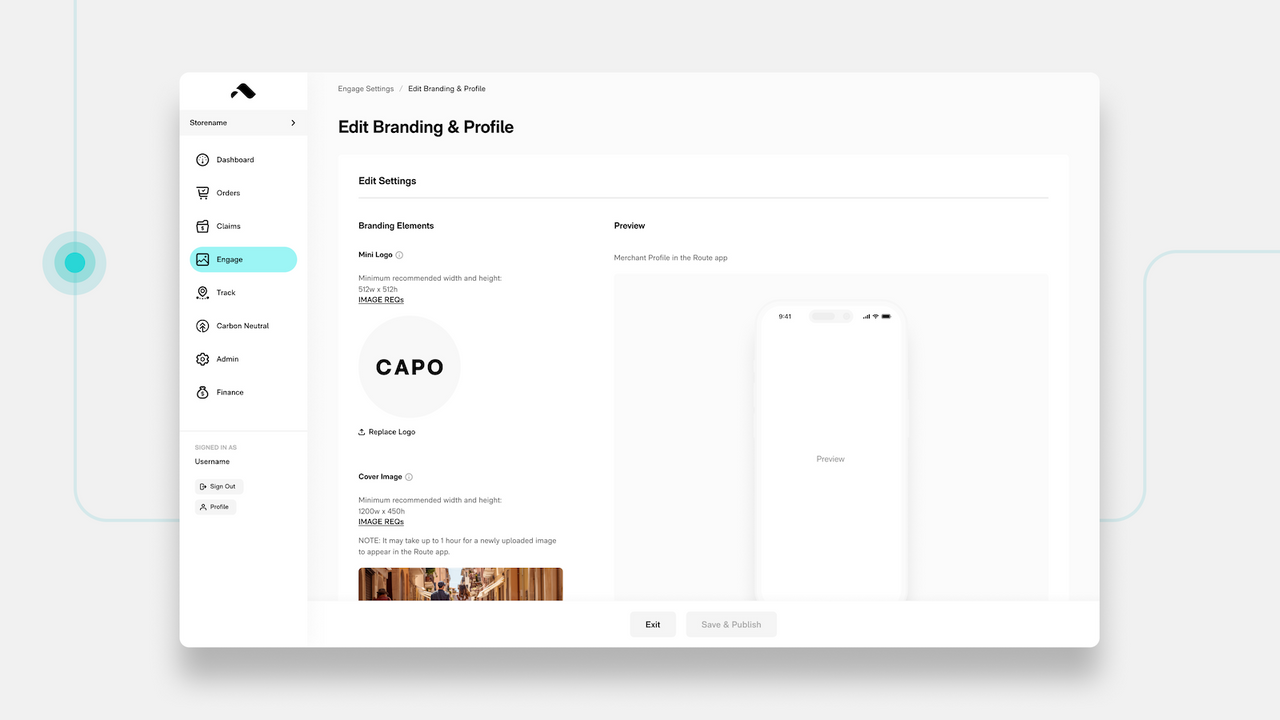
Package protection and post-purchase tracking with a checkout-embedded widget, giving customers optional protection against lost, stolen, or damaged shipments alongside a unified tracking and returns experience. Route’s package protection is licensed insurance offered at checkout as an add-on, which shifts the cost and hassle of a lost or damaged package away from your support team and refund budget onto a dedicated claims process instead.
It’s free to install, with the protection fee itself typically passed through to customers who opt in at checkout rather than being a cost your store absorbs directly. Beyond protection and tracking, Route has expanded into AI-verified returns and exchange management, positioning itself as a broader post-purchase platform rather than a single-feature tracking tool — worth comparing directly against AfterShip if you’re choosing just one, since there’s real overlap between the two in the tracking-page functionality specifically.
SEO & Site Speed
StoreSEO SEO & Image Optimizer

Handles the unglamorous but genuinely important SEO fundamentals — image compression, alt text generation, meta tag management, and sitemap handling — with an AI-assisted workflow aimed at stores that don’t have dedicated SEO resources or the time to handle these tasks manually across a full product catalog. Unoptimized images are one of the most common, most fixable causes of slow page load times on Shopify stores specifically, and slow load times have a direct, measurable relationship with both search ranking and conversion rate.
StoreSEO offers a free plan covering the core optimization features, which is enough for smaller catalogs to see real benefit before considering a paid upgrade. As with any SEO tool, results compound over time rather than showing up immediately — treat this as a foundational, ongoing investment rather than a quick fix for a specific ranking problem you’re trying to solve this week.
How to Evaluate Any Shopify App Before Installing
Beyond this specific list, it’s worth having a general framework for evaluating any app you’re considering, since new apps launch constantly and this list will inevitably need updating over time. A few questions worth asking before installing anything:
Does it solve a problem you’ve actually identified, or a problem you’re assuming you have? It’s easy to install an app because a competitor uses it or because an article recommended it, without first confirming your own store actually has the specific friction point that app addresses. Check your own analytics and support ticket patterns first.
What does it cost at the scale you’ll actually be at in six months, not just today? A lot of Shopify app pricing scales with contacts, orders, or revenue, and a plan that looks cheap at your current size can become a meaningfully larger line item once you’ve grown into it. Model the cost at a realistic growth projection, not just your current numbers.
Does it add a script to every page, or only where it’s actually needed? Some apps load their tracking or widget code sitewide by default even when the feature only applies to specific pages, which adds unnecessary page weight. Check an app’s settings for the ability to scope where its code actually loads.
Does it overlap with something you already have installed? AfterShip and Route both handle tracking, for instance — running both means paying for and loading two apps doing meaningfully overlapping work. Before adding a new app, check whether an existing one already covers part of what you’re trying to solve.
Choosing From This List Without Overloading Your Store
You don’t need all 15. Every app you install adds a script your store has to load, and a genuinely common mistake is installing broadly rather than solving your actual highest-priority problem first. A reasonable starting stack: one email/SMS platform, one reviews app, one loyalty or referral tool if repeat purchases matter to your business, and a customer support tool once ticket volume justifies it. Add page builders, upsell apps, and shipping tools as specific, identified needs come up — not preemptively, just because they’re popular.
A practical way to decide what’s actually missing: walk through your own store’s customer journey end to end — browsing, product page, cart, checkout, post-purchase, follow-up — and note where a genuine friction point exists, rather than where a competitor’s stack happens to have an app installed. The apps above map cleanly onto that journey: reviews and social proof for the browsing and product-page stage, upsell and bundle apps for cart and checkout, tracking and support tools for the post-purchase stage, and email/SMS and loyalty for the follow-up stage. Install against an actual gap in that journey, and each app earns its place rather than just adding to page weight.
Revisit your app stack periodically rather than treating installation as a one-time decision — a tool that solved a real problem when you installed it can become unnecessary overhead once your store’s actual needs shift, and the app you needed at 50 orders a month isn’t necessarily the same one you need at 5,000.
If you’re building product or landing pages that need to showcase reviews, bundles, or urgency elements like these apps produce, that’s exactly the kind of layout a dedicated page builder handles more flexibly than a theme’s default sections — browse our landing page templates or see how our PageFly and GemPages template collections are built specifically around this kind of conversion-focused layout.
Pricing and features for every app above change over time — always check the current listing before installing.


